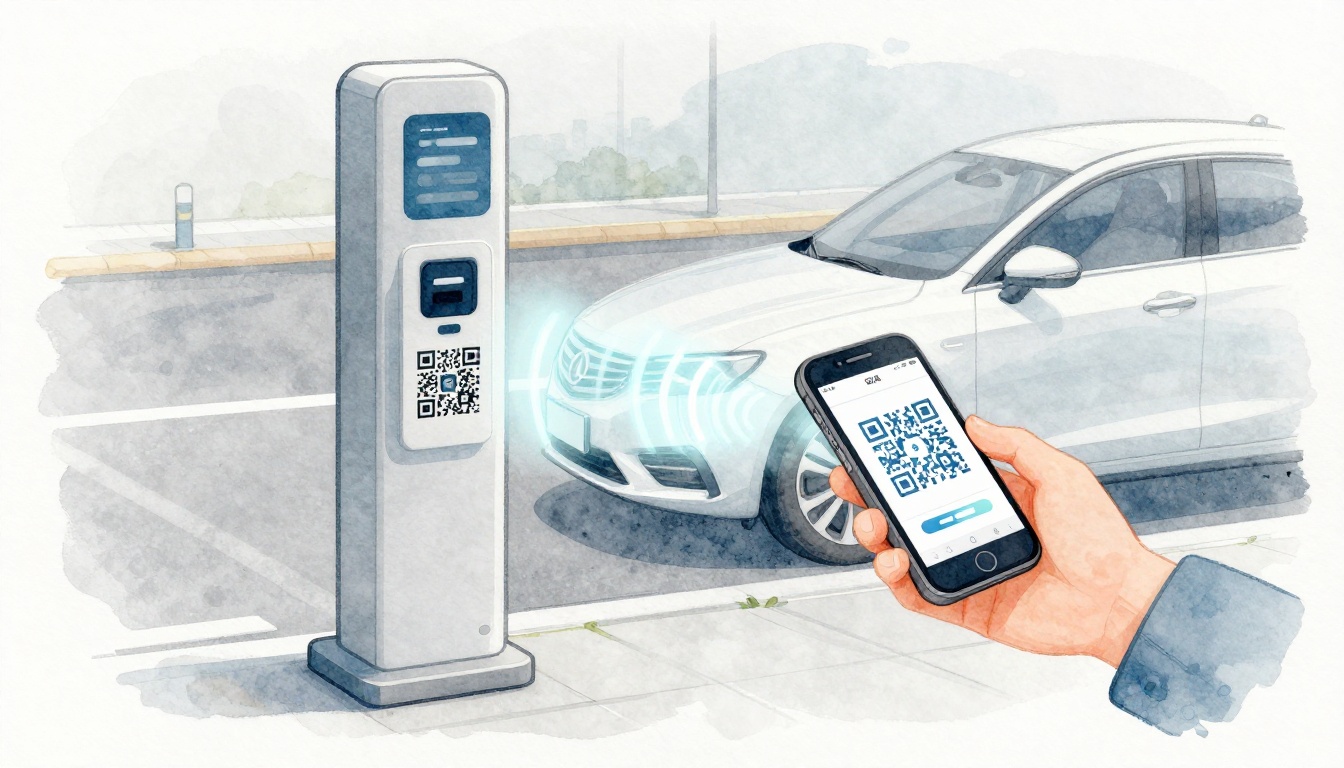
Ever tried to feed coins into a meter during a downpour, then realized you’re late and your hands are shaking? That’s exactly what contactless parking payment aims to fix.
In simple terms, contactless parking payment lets you pay for parking with your phone, a QR scan, or tap-to-pay, without touching a kiosk or handling cash. In many systems, the payment connects to your license plate (or the plate gets read automatically). That link is what lets enforcement and billing stay accurate.
It’s exploding in popularity in 2026 because it’s faster at the curb, safer after the health concerns people still remember, and it’s rolling out city-wide. Many places also use license plate recognition (LPR) so you can enter and exit without stopping to pay every time.
So how does contactless parking work in real life, when you’re actually trying to park? Next, you’ll see how it differs from old-school meters, then a step-by-step guide you can follow the next time you pull into a spot.
What Makes Contactless Parking Payment So Different from Traditional Methods?
Traditional parking payment usually means one of these: coins at a meter, cards at a kiosk, or a paper ticket you place on your dashboard. You also have to physically interact with the equipment.
Contactless parking payment flips that process. You park first, then pay from your car using a phone app, a QR code on the sign, or tap-to-pay. Most systems also connect your payment to the zone and your license plate, so your session matches your vehicle.

Some cities also move beyond “pay at the sign.” They use cameras to read your plate, then charge you through a linked account or payment method. For a real example of this shift, Metro’s “Tap. Ride. Go.” upgrades expand contactless parking payment for participating facilities, including the tap-based approach when you exit. See the announcement from WMATA here: Metro begins Tap. Ride. Go. upgrades.
Here are the core features that make contactless work smoothly:
- Zone codes, QR codes, or location codes on signs that tell the app where you parked
- Plate-based linking, so your payment matches the right car
- Remote extensions, so you can add time without returning to the curb
- Optional LPR auto-pay, where cameras handle plate reads and billing
No More Digging for Change or Lines at Kiosks
With older meters, you spend time at the curb. You find the right coins. You hope the meter accepts them. Then you stand there for a moment more, because the machine might be slow.
Contactless payment reduces that whole loop. You can park, then handle payment from your phone while you stay in your car. If your plans change, you can extend time from the app.
Also, because you avoid shared touch points, you cut down on “who knows where that meter has been.” That hygiene benefit matters more than people expect, especially in crowded areas.
If you’ve ever paid like you were running a mini obstacle course, contactless feels more like ordering food delivery. You don’t need to get up and interact with the shop to get what you ordered. You just complete the payment where you are.
License Plates Do the Heavy Lifting
The key trick behind many contactless systems is that your payment ties to your license plate. You either type it into the app, scan a code that leads to your vehicle session, or the system reads the plate using LPR.
In places that don’t use LPR yet, enforcement still scans and checks plates. That’s why accuracy matters. If you enter the wrong plate number, your session may not match.
The upside is that you usually don’t need a physical ticket. You’re not stuffing paper into a window. Your session lives in the parking system, connected to your plate and zone.
Your Easy Step-by-Step Guide to Using Contactless Parking Payment
Even if you’ve never used it before, contactless parking payment is usually simple. Most systems follow the same pattern: find your spot, identify the zone, start a session, then pay for a set time.
Think of it like a parking “receipt” that lives in an app, not on plastic.
Step-by-step: how contactless parking payment works at the curb
- Spot the sign near your space. Look for a QR code, zone number, or location code.
- Park normally. Pull into the spot and get settled.
- Open the app (or go to a web page). Enter the zone code and your license plate.
- Select the time you need, then pay using a card or digital wallet you saved.
- Extend if needed from your phone. Most apps show a clear “time remaining” view.
- Drive away when you’re done. In many areas, you just exit normally. There’s no ticket to retrieve.
If your city uses app-free options, you might instead text a number, call a system, or use a mobile web link. The sign will usually tell you which option applies.
Quick tip before you start: check the sign once for the right zone. Zone mix-ups are one of the most common early mistakes.
Quick Start with Popular Apps Like ParkMobile or HONK
Two well-known options in the US are ParkMobile and HONK. Both support common contactless workflows like QR-based entry, zone setup, and remote time extensions.
If you want to see how ParkMobile presents the service, start here on the app store: ParkMobile: Park. Pay. Go. on Google Play.
HONK is also widely used across parking operations. To understand how the platform positions its driver and operator tools, check the main site: HONK parking management platform.
When you set up an app for the first time, most people should do the same quick prep:
- Add a payment method you trust
- Confirm your license plate format
- Turn on notifications (so you know when time is ending)
That setup makes every future parking stop faster. After your first few sessions, you’ll barely think about it.
What If You Forget to End Your Session?
Forgetting happens. Maybe you ran late. Maybe you lost track of the clock. The big difference with contactless is that you often get reminders.
Most apps show when your session ends and send alerts before time runs out. If you realize you need more time, you can extend it right away.
Still, there’s a reality to know. If you don’t extend, you may owe the rate for the time you paid for, plus possible overstay fees. Some systems also auto-stop at the end of the selected window.
So the best habit is simple: keep an eye on the app timer. If your area uses LPR, the system may still bill based on the session window tied to your plate.
Why Switch to Contactless? Top Benefits and a Few Realities to Know
Switching to contactless parking payment usually comes down to one thing: less stress at the curb. You spend less time interacting with machines, and you gain flexibility once you’re parked.
Recent reporting and forecasts also suggest contactless is now common in daily payments, and parking follows that trend fast. Some estimates put contactless card use at most transactions and show strong consumer preference for fast, touch-free options. In short, parking is catching up to what people already do everywhere else.
Here are the benefits people notice first:
- Faster entry and exit: you avoid kiosks and meter lines
- Less touching: fewer shared surfaces at the curb
- Remote time changes: extend from your car if plans shift
- Better monitoring: plate-linked systems reduce “oops, wrong meter” errors
- Potential operator savings: app-based flows can cut equipment wear and staffing needs
Now the realities, because every system has tradeoffs:
- You need a signal (or at least a working app flow)
- First-time setup takes a minute (plate and payment setup)
- Coverage isn’t universal yet in every neighborhood
- Forgetting to end or extend can cost more than you expect
If you’re wondering whether it’s worth it, here’s a simple test. Use contactless once in an area you know. When you’re done, compare how long it took versus coins or a kiosk.
Speed, Safety, and Smarts in One Package
Speed is the obvious win. You park, then pay right away, instead of stepping out to “fight the meter.”
Safety is more than comfort. By skipping cash and shared touch points, contactless payment lowers friction and helps after-hours systems feel more controlled.
Finally, contactless can feel smarter because you often get:
- session reminders
- receipts in your app
- easy access to what you paid and when
That’s helpful if you track expenses for work or if you need proof for reimbursement.
Watch Out for Spotty Service or Forgetting to Log Off
Here’s where drivers get surprised. Contactless relies on your phone and connectivity.
If you’re in a dead zone, the app might fail to load the payment screen. In that case, follow the sign’s instructions. Some locations include alternative options like web or text-based payment.
Also, pay attention to session timing. If you leave early, some apps let you end early. Others bill by your selected window. Read the app’s rules before you assume you can “start and stop” freely.
If you want extra peace of mind, start each session with the correct plate and keep the session screen open while you settle in. That way, you’re not guessing later.
What’s Coming Next for Contactless Parking in 2026 and Beyond
Contactless parking payment isn’t standing still. In 2026, the big trend is more automation, especially with LPR.
As camera-based systems expand, you may see more “no app needed” experiences. Ideally, a vehicle enters, the system reads the plate, and billing happens automatically when you leave. That reduces driver steps even further.
Another shift is dynamic rates and real-time pricing. Instead of one flat meter price, the cost can change based on demand. This can help fill open spots during slow hours and reduce circling when demand spikes.
Meanwhile, cities keep rolling out smarter rules around curb management, off-street garage access, and event parking. You might also see more integration with smart parking apps that show live availability and recommend the best option.
Could EV charging connect into the same system? It’s plausible. Many cities already treat charging as part of the broader transportation plan. Still, rollout timelines vary a lot by city.
The practical takeaway is simple. If you learn contactless now, you’ll be ready for more “pay on entry or exit” setups.
Conclusion: Try Contactless Parking Payment Next Time You Park
Contactless parking payment is what happens when parking stops being a coin and kiosk routine. Instead, you pay by phone, QR scan, or tap, and your session connects to your license plate (sometimes through LPR).
Once you know the basics, it’s fast: find the code, choose time, pay in-app, and extend if plans change. ParkMobile and HONK are common examples, and the signs near your spot will tell you which method your area supports.
Next time you park, skip the hassle and go contactless. Then check the app screen when you start your session, so you never wonder what time you bought.
If you want more context, explore how different US parking apps compare in a single place: Top parking apps in the US and how they compare.